 Sign in ☰
Getting Started
Finding your way round
You've got your account, now it's time to get stuck in.
Summary
There's a lot to take in here, and if it's your first time working with APIs, there's a lot to learn. Here are some additional guides to help you get started.
What is an
API?
What is an
endpoint?
What is an
operation?
Step 1: Sign in
Take the credentials from the new account you've just set up. Head to the Home page, then click Sign In (or use the button below instead)
Step 2: Select the API
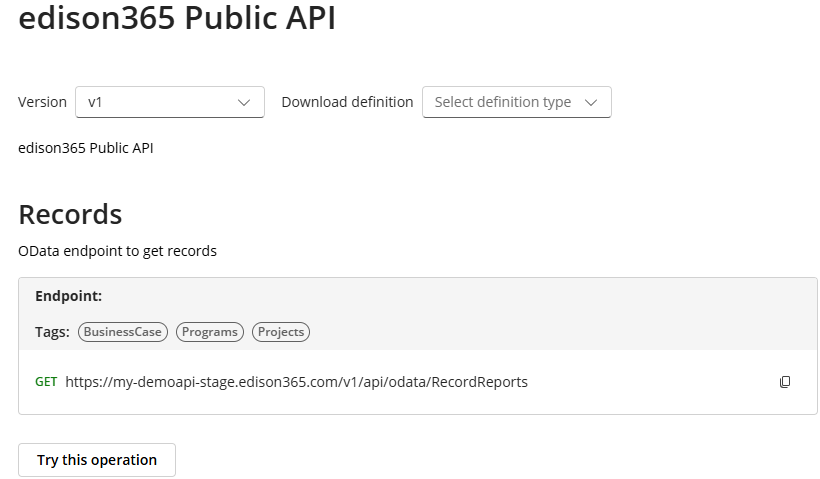
All the endpoints you need are hosted within a single endpoint - the Public API. This API is provided in a unified, consistent way for all our customers.
To get going, head to the APIs page and select "edison365 Public API" (or pick it below - your choice!)
Step 3: Browse the endpoints
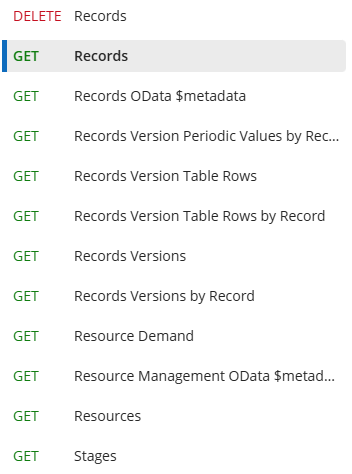
Take a look through the endpoints within the Public API. You'll notice that each endpoint has a tag next to it - this tells you the type of operation a call to this API will trigger.
For example, GET requests are used for reporting purposes, where you want to retrieve data, whereas POST requests are used to create data. Knowing how you want information to flow, and where, will tell you which endpoint's the right one for you.
Want to learn more about each operation? Click here for more information.
Endpoints
On the left you'll find a list of endpoints. Different endpoints have different uses, so spend some time looking through the menu to find out what works best for you.
Details
On the right, you'll find detailed information about the endpoint you have selected on the left. Here, you can take a look at how each endpoint works individually. You'll find guidance on structuring a call, plus some sample data for you to understand what type out output to expect.
Step 4: Get your API key
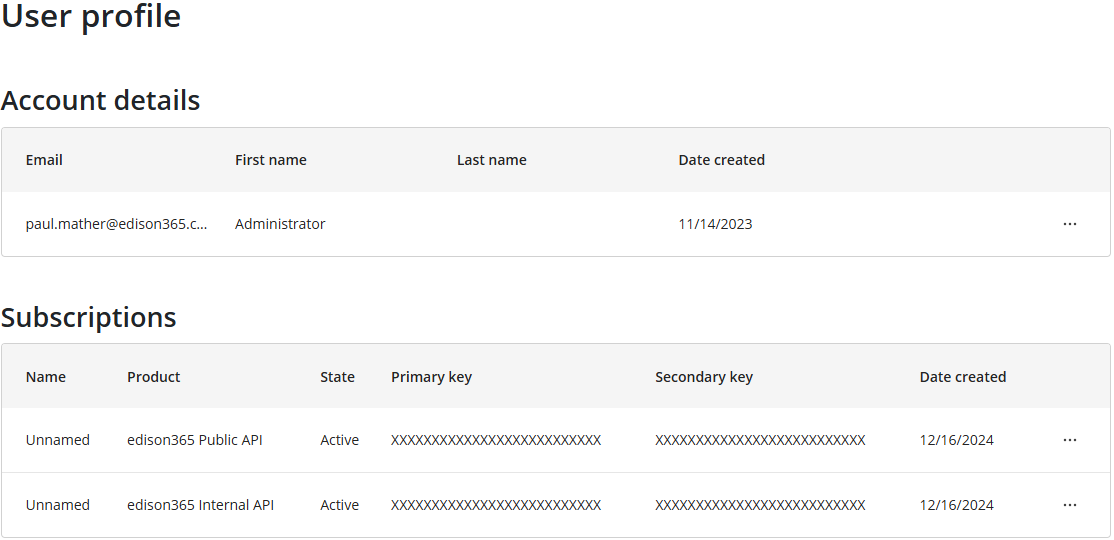
Ready to connect to the API? Simply head to your Profile page, where you'll find your account details and a list of your subscriptions.
Each time you request access to an instance, we subscribe your account to that API. So, if you're connecting to multiple instances, you'll see a list of subscriptions here.
You have two keys available to use in your API requests. Both are personal to you and should not be shared - anyone with this key can access all data in the instance. At any point, you can use this page to see your keys, or if necessary, regenerate the keys. If you choose to regenerate them, you'll need to update your key anywhere that it's in use
Your primary key is likely the one you use in production solutions like live reports or automations.
Your secondary key can be used as a backup, or in situations where it may be temporarily shared before regeneration (for example, sharing a key for testing purposes)